
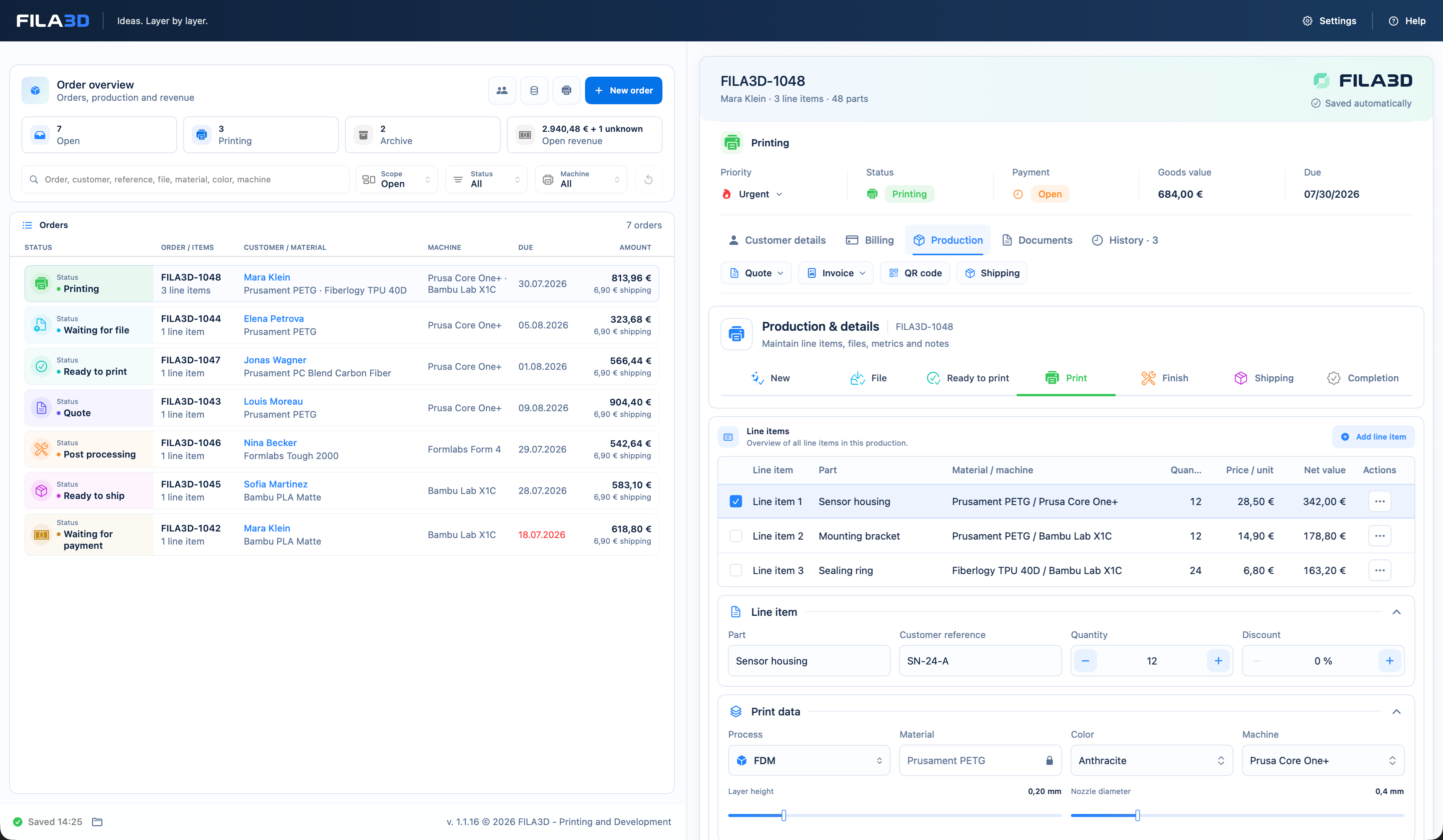
The role FILA3D plays in a print farm
A print farm uses multiple tools for different jobs. FILA3D connects customers and costs with production planning and status without pretending to provide slicing or printer-control functions.
Cost the order
Turn material, machine time and labor into a dependable basis.
Assign a machine
Place print jobs and files with the relevant machine or queue.
Keep priorities clear
Organise open jobs, order, status and deadlines visibly.
Close the order
Continue documents, invoice, payment and archive on the same record.
Three tools with three clear roles
FILA3D does not replace established technical tools. It closes the gap between customer order, cost, production organisation and billing.
| Tool | Role |
|---|---|
| Slicer | Prepare models and generate print data |
| Printer control | Connect, start or monitor printers live |
| FILA3D | Organise orders, costing, queues, status and documents |
| Together | Use slicer values and manage the commercial history in FILA3D |
Organise jobs by machine and priority
Brand-neutral printer and material profiles provide the costing basis. Queues show what is open per machine and which step comes next.
Printer profiles
Store your own machines across brands and processes.
Machine queues
Keep open jobs visible by machine and sequence.
Order status
View production with customer, files, cost and deadlines in context.
Transparent scope
Organisation, not remote control.
FILA3D plans and documents the order flow. It does not start printers, read live sensors or promise automatic machine scheduling.
- No slicing or G-code generation
- No direct printer control
- No live printer telemetry
- QR and Zebra ZPL features are for label output
Common questions
Print farm features without ambiguity
Can FILA3D start printers directly?
No. It organises orders and queues; direct control remains with dedicated tools.
Does FILA3D read live data?
No. Status and planning are maintained in the order workflow, not read from printer telemetry.
Which brands are supported?
You can create brand-neutral printer profiles. This is not a technical device integration.
Can I assign jobs to machines?
Yes. Print jobs can be assigned to machines and queues in the operational workflow.
Does it work without cloud storage?
Yes. Licence sign-in uses the verified purchase email; the native macOS app stores work data locally and encrypted instead of in FILA3D cloud storage.