
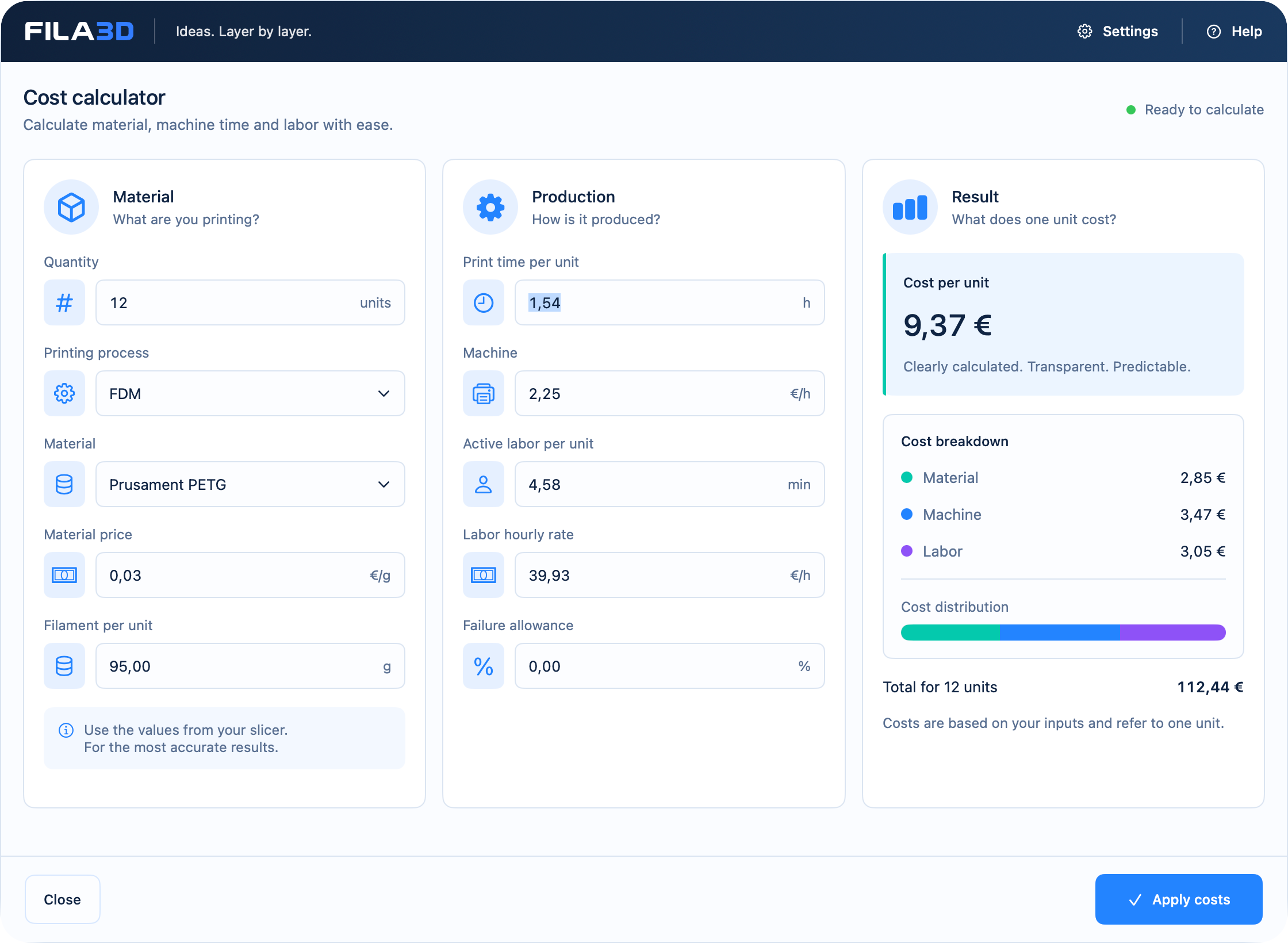
What a dependable 3D printing calculation includes
Your slicer supplies important technical values. A viable unit cost also needs the commercial costs behind them. FILA3D keeps the calculation visible so assumptions can be checked before you quote.
Material cost
Connect consumed grams with the stored price per kilogram.
Machine cost
Value print duration using a transparent machine hourly rate.
Hands-on labor
Include preparation, post-processing and other manual work.
Unit cost
Combine the cost blocks for every line item and part.
The calculation stays transparent
A simple structure prevents relevant costs from disappearing. Mark-up, margin and the final selling price remain deliberate business decisions.
| Cost block | Basis |
|---|---|
| Material | Grams × price per kg ÷ 1,000 |
| Machine | Print hours × machine hourly rate |
| Labor | Active hours × labor hourly rate |
| Unit cost | Material + machine + labor |
Reusable profiles instead of repeated entry
Store material prices and machine data once and reuse them in line items. Calculations stay consistent without searching for the same values for every order.
Material profiles
Keep filament price, spool weight and relevant material data together.
Printer profiles
Model your own machines across brands for costing purposes.
Order items
Connect calculated parts with customers, quotes, production and invoices.
Clear scope
FILA3D complements your slicer—it does not replace it.
Bring material quantity and runtime across from your preferred slicer. FILA3D handles their commercial and operational continuation.
- No G-code generation
- No direct printer control
- Native macOS app from version 14.6
- Licence sign-in with purchase email · no cloud-storage requirement for work data
Common questions
Costing, answered clearly
Which slicer values can I use?
Primarily material quantity and estimated print duration. FILA3D adds machine and labor costs.
Can I calculate material, machine and labor separately?
Yes. The three cost blocks remain individually traceable before they form the unit cost.
Does the calculation continue into the order?
Yes. Calculated items stay connected to customer, quote, order, production and billing.
Do I need a cloud account?
Licence sign-in uses the verified purchase email and the customer centre. Your work data still remains local and encrypted on your Mac; FILA3D cloud storage is not required.
Which Macs are supported?
FILA3D requires macOS 14.6 or later and supports Apple silicon and Intel Macs.